
Listen to the article.Stay with the story.
News pages often interrupt an article with ads and recommendation cards. Nima’s optional “Skip ads and unrelated text” checks the paragraphs after your starting point and skips those it confidently identifies as unrelated.
Download for WindowsWindows 10 & 11 · Internet required · Free to startInstallation and requirementsChoose a step or play the example. Illustrative text; no recording or AI calls.
Turn it on, then point to the article.
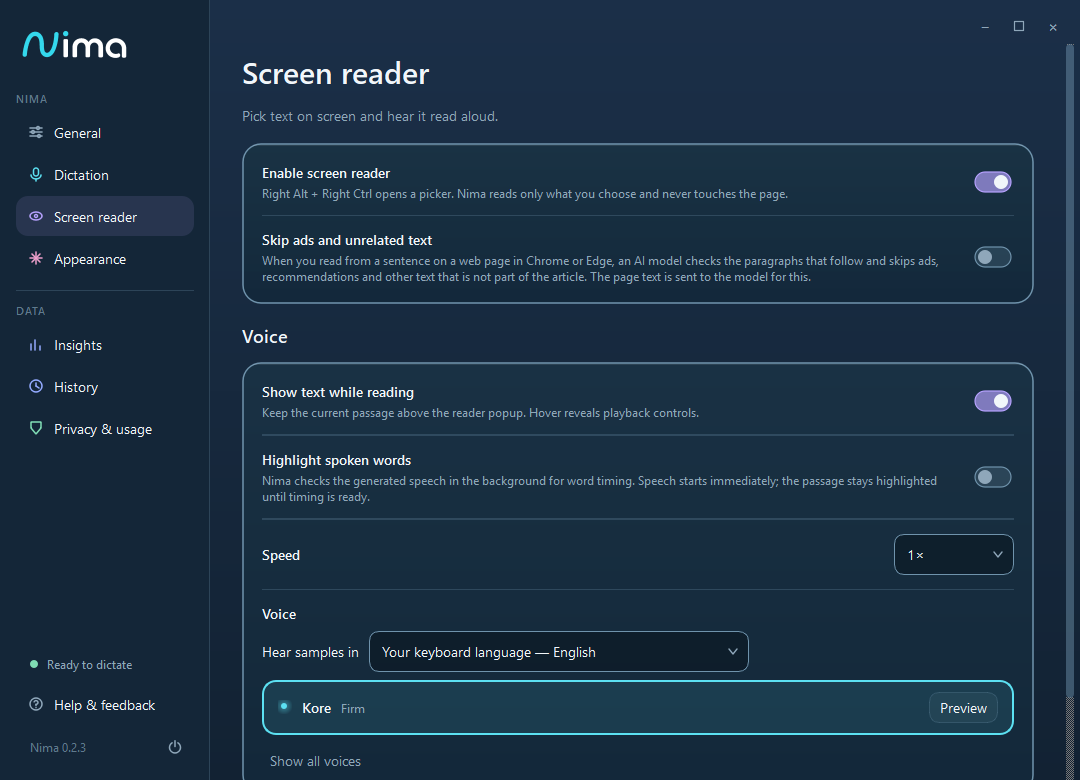
In Settings > Screen reader, enable Skip ads and unrelated text when the setting is available. Open an article in Chrome or Edge, press Right Alt + Right Ctrl, and click the sentence where you want to begin.
Nima reads the rest of the starting paragraph and checks the paragraphs that follow. The option applies to this sentence-start workflow in Chrome and Edge tabs; it is not a general-purpose filter for every PDF, region or application.
Keep the paragraphs. Skip the interruptions.
The filter keeps or skips whole paragraphs. It does not rewrite the article, summarize it or replace the author’s wording. It is designed to skip only when confidence is high, so uncertain material may still be read.
It can skip ads, recommendation cards and other unrelated passages, but it can make classification mistakes. An extended run of unrelated paragraphs ends the reading. The page itself is never edited or cleaned up visually.
You choose whether to use it.
The setting is off by default. When enabled, the page title, paragraphs ahead of the reading and simple layout information are sent for processing. The privacy page describes TypeSafe through Vercel for this optional feature.
If filtering cannot be used, Nima falls back to ordinary reading and shows a note. You can always select a specific passage or region yourself.
A few useful answers.
Does it block advertisements in my browser?
No. It changes which paragraphs Nima speaks. It does not remove anything from the page or replace a browser ad blocker.
Will it always skip every unrelated paragraph?
No. The filter favors keeping uncertain text, and classification can be wrong. Select a precise range when you need exact control.
When is the setting available?
Nima 0.2.4 includes the option. It appears in Settings when the service offers the feature to your account.
Try it with your
own everyday words.
Free includes 2,000 words a week and 1 hour of reading a month. No card needed.
Download for Windows Compare Free and Pro