
Let the wordscome to you.
Nima reads text aloud from your Windows screen. Press Right Alt + Right Ctrl, choose what you want to hear, and listen while the passage appears above the reader pill.
Download for WindowsWindows 10 & 11 · Internet required · Free to startInstallation and requirementsChoose a step or play the example. Illustrative text; no recording or AI calls.
Four ways to choose the words.
Click a sentence to begin reading from there, drag across words for a specific passage, draw a region around text, or use Read highlighted for an existing selection.
A screen region can include text in an image or a scanned page. Recognition depends on what is visible and legible; small, blurred or complicated layouts can be read incorrectly.
- Click a sentence and continue from there
- Drag across a text range
- Draw a box around a visible region
- Read a highlight you made before opening the picker
Settle into your own pace.
Choose a voice, listen to a fixed public voice sample, and set a reading speed from 0.75× to 2×. You can show the current passage and enable spoken-word highlighting.
Hover over the reader to reveal playback controls. The reader shortcut pauses or resumes an active reading; Escape stops it. Your original page stays unchanged.
The passage, in its own words.
Ordinary reading speaks the selected text rather than summarizing it or answering it. Translation happens only when you ask for another language.
Nima is a text-reading tool. It is not a full screen-navigation replacement for tools such as Windows Narrator. For news and articles, the optional unrelated-text filter has its own page.
The actual Windows interface.
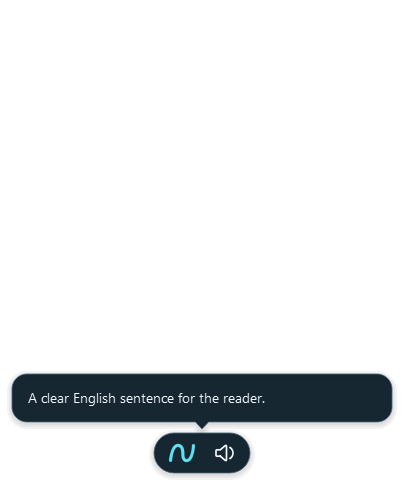
Hear a sample.
A fixed public English voice sample. Playback starts only when you choose it.
A few useful answers.
Can Nima read a PDF?
You can select accessible PDF text or draw around a visible passage. A scanned PDF uses recognition of the selected screen region. This is not an entire-document upload or audiobook conversion.
Does reading change my selection or clipboard?
The reader collects text without editing the source app or replacing your clipboard.
Can I save a reading as an audio file?
Nima is designed for listening in place. It does not provide an audio-file export workflow.
Try it with your
own everyday words.
Free includes 2,000 words a week and 1 hour of reading a month. No card needed.
Download for Windows Compare Free and Pro